Your portfolio website is the closest thing a freelancer has to a storefront. Clients do not hire you because of your social media profile or your resume — they hire you because they looked at your work, understood what you do, and decided you were the obvious choice. A well-built portfolio does that job on its own, while you sleep, which makes it the highest-leverage project most freelancers never get around to finishing. This guide walks you through exactly what to build, in the order that matters.
Why Freelancers Need a Portfolio Website (Not Just Social Media)
Social media is rented land. The algorithm decides who sees your work, the platform owns your followers, and your profile is one account suspension away from disappearing. Your own website is the only place you fully control — the design, the content, the contact flow, and the story you tell.
Beyond control, a portfolio website changes how you are perceived. A LinkedIn profile and a professional website for the same freelancer are treated differently by potential clients. One says “person with a profile”; the other says “professional with a business.” When a client compares two freelancers with similar work, the one with a strong website wins the call almost every time.
Your portfolio is not an online gallery. It is a sales tool that answers one question before it is asked: why should I hire you?
What a Portfolio Website Does for You
- Qualifies leads before they contact you — good clients arrive already convinced; bad-fit clients filter themselves out.
- Works as your most persuasive proposal — send a link instead of a long pitch and let the work speak.
- Builds trust with the details — a fast, clean, professional site signals reliability before a single word is exchanged.
- Owns your visibility — search engines can find you, and you are never at the mercy of an algorithm.
What to Put on Your Portfolio Homepage
Visitors decide in seconds whether to stay or leave. Your homepage needs to answer four questions immediately: who you are, what you do, who you help, and how to get in touch. Anything that delays those answers costs you visitors.
The classic structure that works is a short headline, one clear sentence of what you do, a selection of your best work, a brief introduction, and a call to action. Resist the urge to add more. Every extra section on the homepage dilutes the ones that matter.
The Homepage Essentials
- One-line value proposition — “I design websites for independent consultants” beats “creative digital professional” every time.
- Three to five standout projects — your best work, not all your work. Quality signals skill; quantity signals clutter.
- A short, human introduction — a few sentences about you, your approach, and who you love working with.
- A visible call to action — a clear “Let’s work together” button or a prominent contact link.
Write the homepage copy before you design it. The words define the structure; the design then makes the words feel effortless. Most portfolio homepages fail because they were designed first and written second.
The Projects Section That Actually Gets You Hired
Clients do not hire freelancers to see pretty pictures; they hire them to solve problems. The projects in your portfolio should tell the story of a problem, a solution, and a result — not just show a screenshot with a title underneath.
How to Present a Project
For each featured project, include four elements:
- The challenge — what problem did the client have? Set the scene in two or three sentences.
- Your role — what exactly did you do? Be specific about the skills involved.
- The process — a glimpse of how you work: research, design, iteration. This is what clients buy when they hire you.
- The result — what changed? A metric, a testimonial, or a concrete outcome beats a vague “client was happy.”
Structure each project page with a strong hero image, then the story, then supporting images. Clients skim; make the opening line of each project page explain why this project matters. Ten projects told this way will win you more work than fifty screenshots with titles.
Show the work you want to do next, not the work you did five years ago. Your portfolio should look forward — remove or de-emphasize projects that no longer represent the kind of clients and work you are after.
About Page, Contact, and the Details Clients Notice
The About page is the second most visited page on most portfolios, which surprises most freelancers. Clients want to know who they would be working with, and whether you are the kind of person they can collaborate with. Write it like you are introducing yourself at a professional dinner, not like a CV in paragraph form.
The About Page That Builds Trust
- Open with who you help and how — tie it to the visitor, not to your biography.
- Share your approach and values — a short paragraph on how you work and what you care about.
- Add a real photo — clients hire people, and a face makes you human and memorable.
- Include your experience honestly — relevant highlights, not a full employment history.
Your contact page matters more than you think. The number one reason freelancers lose work is not weak design — it is making contact difficult. Put a clear contact form or email address in the navigation and on the homepage. Test it yourself and respond to test submissions to confirm it works.
The small details build trust: a professional email address on your own domain, an actual response to inquiries, a clean 404 page, and a footer with your name and a working link. Clients notice when those details are handled.
Choosing the Right Platform: WordPress vs Website Builders
Your platform choice depends on how much control you want and how much technical work you are willing to do. There is no single right answer — only the right answer for you.
| Option | Best for | Strengths | Watch out for |
|---|---|---|---|
| WordPress (self-hosted) | Freelancers who want full control, SEO, and room to grow | Total ownership, best-in-class SEO, endless customization, you own your content | Requires hosting, maintenance, and a bit of a learning curve |
| All-in-one builders (Squarespace, Wix, Carrd) | Speed and simplicity, one-page portfolios | Fast to launch, managed hosting, no maintenance | Less control, monthly fees, harder to migrate later |
| Portfolio platforms (Behance, Dribbble, Framer) | Showcasing work and discovering opportunities | Built-in audience, zero setup | Rented land again — you do not control the experience or own the traffic |
If you are a designer or developer, your website is also a demonstration of your skills — WordPress with a well-chosen theme and thoughtful typography shows craft. If you just need to launch fast and your work lives elsewhere, a builder is perfectly fine to start. You can always migrate to something more powerful later; the important thing is to launch.
Design Principles That Make a Portfolio Stand Out
Portfolio design is not about being loud; it is about being clear. The best portfolios are the ones that disappear and let the work shine. Start with the fundamentals and the result will look professional even before you add personality.
The Fundamentals That Always Work
- One strong typeface family — two sizes and a couple of weights beat five fonts every time.
- A restrained color palette — your work should provide the color; the chrome around it should stay neutral.
- Generous white space — empty space reads as confidence. Cramming reads as insecurity.
- Consistent spacing and alignment — a grid gives the eye rhythm, even when visitors cannot name it.
- Big, high-quality images — blurry, stretched, or tiny images are the fastest way to look unprofessional.
Do not copy the trend of the month. A portfolio is a long-term asset, and trends age badly. Invest in timeless typography, honest imagery, and a layout that puts the work first. That combination looks current for years, not weeks.
Mobile matters more than desktop for most freelancers — clients browse on phones while commuting or between meetings. Test every page at a phone width and make sure images, text, and buttons all work comfortably. A portfolio that is perfect on desktop and broken on mobile loses the work of the mobile visitor.
Speed, SEO, and the Technical Basics
A beautiful portfolio that takes eight seconds to load loses visitors before they see the design. Performance is part of the design, and it is also a ranking factor. The good news: most portfolios are small, so a few simple habits keep them fast.
The Technical Checklist
- Compress your images — resize project images to the size you actually display, and use modern formats where possible.
- Enable caching — a caching plugin on WordPress, or the built-in optimization of a good host, makes a big difference.
- Use lazy loading — images below the fold load only when needed, keeping the first screen fast.
- Keep plugins lean — on WordPress, every plugin adds weight. Only keep the ones you use.
- Set up basic SEO — a clear page title, a description, and descriptive alt text on images help you get found.
For SEO, focus on being found for what you do in your city or niche — “logo designer in Milan” or “WordPress developer for therapists.” One well-optimized page that clearly states what you do for whom beats a hundred generic ones. Google needs to understand what you do and where; give it both on your homepage.
Common Portfolio Mistakes (and How to Fix Them)
Most portfolio problems come from the same handful of mistakes. If your portfolio is not bringing in work, check this list first.
- No clear message — if a visitor cannot say what you do after five seconds, fix your headline and first paragraph.
- Showing too much work — curate. Five strong projects outperform fifty average ones.
- No results or outcomes — add the challenge, your role, and the result to each project.
- Contact hidden or slow — make contact unmissable and reply fast; speed to reply wins a shocking amount of work.
- Generic design — if your portfolio looks like a template with a logo swap, visitors assume the same about your work.
- Not mobile-ready — most of your visitors are on phones. Test it, and test it again.
The portfolio that wins is not the most creative — it is the clearest. Clarity signals professionalism, and professionalism is what clients are really buying.
Frequently Asked Questions
Do I need a portfolio website if I already get work through referrals?
Yes. Referrals bring you work, but your website is where referred clients verify you. A strong site turns a lukewarm referral into a confident yes — and it keeps working when referrals are slow.
How many projects should my portfolio show?
Three to five strong, recent projects on the homepage, with more available if you have them. Curate for quality and relevance — every project should represent the work you want more of.
Should I use WordPress or a website builder for my portfolio?
Choose WordPress if you want full control, strong SEO, and ownership of your content, and you are comfortable with a small amount of maintenance. Choose a builder if you want to launch fast with zero maintenance. Both can produce excellent portfolios; the choice is about control versus convenience.
How important is a professional email address?
Very. A domain email like hello@yourname.com costs almost nothing and immediately signals professionalism. A free-email address on a portfolio is a quiet trust leak that is easy to fix.
How much should I spend on my portfolio website?
Less than you think. A domain, hosting, and a good theme cost a few hundred dollars a year on WordPress. A builder costs a monthly fee. Invest your money in good project images and a real photo of yourself — those have the biggest return.
Real Examples of Strong Portfolio Copy
Copy is where most portfolios quietly fail. Here are two before-and-after examples of the same idea, the weak version and the strong version, so you can see the pattern and apply it to your own projects.
Example One: The Project Description
Weak: “I redesigned a bakery website. Used WordPress and made it look nice. Client was happy.”
Strong: “The client, a local bakery, was losing online orders to a dated site with no mobile experience. I redesigned the website on WordPress with a focus on speed and ordering: menu pages load in under a second, and orders now route to the kitchen automatically. Online orders grew by 30 percent in the first three months, and the client now handles all content updates themselves.”
The strong version works because it states the problem, the specific work, and a concrete result. It also quietly answers the question every client asks: what would you do for me?
Example Two: The About Page Opening
Weak: “Hi, I’m Sam. I’m a passionate creative professional with a keen eye for detail.”
Strong: “I help independent consultants get booked without chasing clients. I’ve designed websites for 40+ consultants in the last five years, and the first thing they notice is that their calendar starts filling up.”
Notice what the strong version does differently: it leads with the client and the outcome, not with adjectives about yourself. “Passionate” and “creative” are claims anyone can make; “40+ consultants” and “calendar starts filling up” are evidence.
Every sentence on your portfolio should either prove a skill or state a result. If a sentence does neither, cut it. That single rule will improve your portfolio more than any design change.
Launch, Get Feedback, and Improve
A portfolio is never finished, but it also should not be perfect before it exists. Launch a good version now, gather honest feedback, and improve it in cycles. The version on the internet today is worth more than the perfect version next month.
Ask the Right People the Right Questions
Do not ask friends “do you like it?” — they will say yes. Ask past clients and people who have hired freelancers: “Would you contact this freelancer for this kind of work?” and “What would stop you?” Those answers are gold, because they come from people who behave like your real visitors.
Watch How Visitors Actually Behave
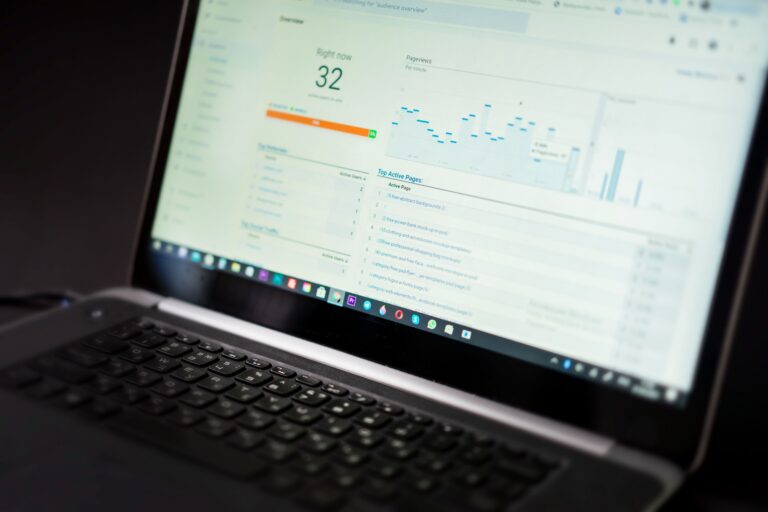
Simple analytics show you what really happens: which page people land on, how far they scroll, whether they click your contact button. If visitors leave within seconds on mobile, your first impression is failing there. If nobody clicks through to projects, your homepage is not making the work tempting enough.
Update It on a Schedule
Set a monthly reminder to refresh one thing: a new project, a new result, a sharper sentence in your About page. A portfolio that changes visibly tells repeat visitors you are active and doing well — and it keeps the site from becoming a time capsule of work from two years ago.
Your Next Step
This week, do the portfolio quick start: write your one-line value proposition and your three best projects with the challenge-solution-result structure. Pick your platform and your domain name. That is enough to launch a first version that looks professional.
Then refine over time — improve the projects, add results, polish the design. Your portfolio is never finished; it grows as you do. But the version you launch this week will already be doing the job your social media never could: working for you, on your own land, around the clock.